



Welcome to the official Russell Brown Tips & Techniques page. This is your one-stop location for the latest in hot new tips from the one and only Dr. Brown. Beware: these QuickTime movies are large and will take time to download with a slow connection. Also, if you are viewing them using Internet Explorer, the movies may take several minutes to appear. For best results, Dr. Brown recommends that you use the Safari or Firefox browser. Also, make sure you have the latest Adobe Reader and Apple QuickTime applications installed. These tutorials have been provided to you as a free service from Adobe Systems and Russell Brown. Please do not redistribute this content without the written permission of Russell Brown. Have fun!
For easier viewing of my tutorials you can download them by using a right-click (Windows) or Control-click (Mac) on the download file link. |
||
Adobe Photoshop CS6 Tutorials |
||
 |
CS6: Light Painting and Animation Discover some basic techniques for light painting at night with a single flashlight or torch. Then finish it all off by making an animated GIF image with the video tools in Adobe Photoshop CS6.
|
|
 |
CS5/CS6 Extended: Script & Action Learn how to process multiple exposures from solar eclipse photography and enhance the images with some special scripts and actions. This is a very advanced tutorial that is speciifically designed for eclipse imaging, but some of the techniques could be applied to other Photoshop projects.
Copyright 2012 Fred Espenak
|
TUTORIAL
STACK-A-MATICRADIAL BLUR ACTION
|
 |
CS6: A Detailed Look at Adaptive Wide Angle Learn some advanced tips and techniques for working with Adaptive Wide Angle inside of Adobe Photoshop CS6. This tutorial will give you a detailed look at the built-in correction tools that help you adjust the lens distortion in your own images. If you are ready to move to the next level in Adaptive Wide Angle then this video is for you.
|
|
 |
CS6: The Wonders of Content Aware Move and Extend Discover some creative new ways to use the new features found in the Contend Aware Move Tool. This tutorial will go beyond the basics and introduce you to some very creative ways to move and extend your images.
|
|
 |
CS6: Advanced Blur Effects and Bokah The ability to add a creative blur to images in Adobe Photoshop CS6 just got easier. With the new Blur Gallery you can target regions within your images and customize the areas that you want to be in, or out of focus. This tutorial will discuss the details in using the new Bokah feature found in the Blur Gallery. Learn the fine art of adding a bokah of light to your images for unique, and special effects.
|
|
 |
CS6: Image Enhancement with Smart Objects, Camera Raw Adjustments and Puppet Warp In this tutorial you can learn how to start with a good photo and then make it look even better. This will all be done with some tips and techniques found in Adobe Photoshop CS6. This project combines Adobe Camera Raw, Smart Objects, Adaptive Wide Angle, and finally Puppet Warp to enhance the image.
|
|
 |
CS5/CS6 Extended: Text Layers and Smart Objects Learn how to distort and dramatically alter the shape of text characters with these non-destructive techniques that leave your text completely editable. |
|
 |
How to tune Photoshop CS6 for peak performance Photoshop performance expert Adam Jerugim has posted a detailed guide to optimizing Photoshop for peak performance. |
|
 |
CS6: The Perfect Panorama This tutorial gives you some easy to use tips and techniques for merging multiple images into a panorama. It will also discuss the importance of using the new Adaptive Wide Angle feature to enhance your results. |
|
 |
CS6: HDR Special Effects Take HDR Pro to the next level and discover creative ways to enhance your images beyond the standard HDR look. The most creative results in Adobe Photoshop come from combining multiple features together to create compelling results.
|
|
 |
CS6: Smart Object Image Blending The secret to life is.... Camera Raw images placed into a layered document as Smart Objects. This tutorial will reveal the wonders of blending multiple exposures together with remarkable results.
|
|
 |
CS6: Creating a Galactic Panorama in Death Valley California Learn the essential details of exposure, selecting correct lens, and the number of images that you will need to create a panorama of the night sky. Then combine the images together using some super user tips and techniques for merging images inside of Adobe Photoshop CS6. Finally, remove image distortion with the new Adaptive Wide Angle feature.
|
|
 |
CS6: Editing 32 Bit Images with Adobe Camera Raw Learn valuable tips and techniques for working with 32 bit images inside of Adobe Camera Raw 7.1 or greater. Then with the help of Smart Objects in Adobe Photoshop CS6 you will discover the secrets of a non-destructive workflow.
|
|
Adobe Photoshop CS5 Standard Edition Tutorials |
||
 |
CS5: Focus Blending Techniques Episode # CS5_038 Posted 02/10/11 Learn how to easily merge the areas of sharpest focus from several stacked images into one final composite. |
|
 |
CS5: Natural HDR Toning Technique Episode # CS5_029 Posted 01/21/11 Learn how to move away from over-saturated and super-sharpened HDR images. It’s time to make your images look more realistic and natural. This tutorial will give you some tips and techniques to make this possible.
|
|
 |
CS5: Creative Masking without Masking Episode # CS5_028 Posted 11/05/10 When masking gets tough, sometimes just covering up the problem is the only solution. In this tutorial I’ll demonstrate some problem-solving techniques for covering up unwanted items in this classic wedding photo from New Zealand. Scott Copeland Photography |
|
 |
CS5: Green-Screen Removal for Paintings Episode # CS5_027 Posted 10/29/10 Learn techniques for extracting green-screen backgrounds. Also discover how to eliminate the notorious green fringe. |
iStock
photo used in this tutorial: |
 |
CS5: Clone Painting Basics Episode # CS5_026 Posted 10/29/10 Discover how to turn a photograph into a fine art painting with this special cloning technique. If you’re interested in learning more about painting, then please check out John Derry’s and Tim Shelbourne’s websites. They have an incredible collection of painting knowledge that you should know. John Derry expressivepixels.com/artists_brushes.html Tim Shelbourne |
|
 |
CS5: Advanced Clone Painting Episode # CS5_025 Posted 10/29/10 This advanced clone painting technique will help speed up your painting on large images. We can always use more speed! |
iStock photo used in this tutorial:
|
 |
CS5:The Lady Vanishes Episode # CS5_024 Posted 10/29/10 Use Content-Aware Fill in combination with Blend Modes and discover techniques that you might not have thought were possible. |
iStock photos used in this
tutorial: |
 |
CS5: Smart Object Maui Dancer Episode # CS5_023 Posted 10/29/10 Repair a badly exposed image with Adobe Camera Raw and Smart Objects. This winning combination always seems to do the trick. |
|
 |
CS5: Drought-Tolerant Grass Episode # CS5_022 Posted 10/29/10 Discover this quick and nondestructive method that can change the color of grass with the help of a Hue Blend Mode setting. |
|
 |
CS5: Lens-Corrected Panorama Episode # CS5_021 Posted 10/29/10 The new Lens Correction tools in Adobe Camera Raw are absolutely amazing. Creating high-quality panoramas just got easier. |
|
 |
CS5: Smart Object Basics Episode # CS5_020 Posted 09/11/10 Learn some of the basics of working with Camera Raw images as Smart Objects. Also included in this tutorial are some advanced blending techniques. |
|
 |
CS5: Pixel Bender Painting Basics Episode # CS5_019 Posted 07/10/10 Start painting with Adobe Pixel Bender Plug-in for Adobe Photoshop CS5. Pixel Bender filters work on images opened in Photoshop CS5. These filters can be executed on the graphics card (GPU) or CPU of a computer. This tutorial covers some of my tips and techniques for working with this new plug-in technology. Download Pixel Bender from this Adobe Labs location: |
|
 |
CS5: Advanced Pixel Bender Painting Episode # CS5_018 Posted 07/10/10 Discover some of my favorite advanced techniques for working with the new Adobe Pixel Bender Plug-in and Adobe Photoshop CS5. This tutorial demonstrates how to use this new filter in combination with Smart Objects. Download Pixel Bender from this Adobe Labs location: |
|
 |
CS5: A Crazy Advanced Masking Solution to a Really Challenging Project Episode # CS5_017 Posted 06/03/10 The new masking features in Adobe Photoshop CS5 are good, but occasionally there is an image that just does not follow the rules. If you’re looking for a really, really, really advanced masking solution, then you have come to the right place. |
|
 |
CS5: Adobe Camera Raw Workflow Episode # CS5_016 Posted 06/03/10 In this tutorial I demonstrate some of my favorite workflow techniques for enhancing an image with ACR. I also show some simple editing techniques inside of Photoshop. |
|
 |
CS5: Renaissance Grain Episode # CS5_015 Posted 05/28/10 Learn about adding grain to an image with Adobe Camera Raw. Then learn how to convert a color image to black and white with a special new CS5 Action. |
iStock photo used in this tutorial:
|
 |
CS5: Star Trails Action and New Layer Opacity Adjustments Episode # CS5_014 Posted 05/28/10 Discover the new Star Trails Action that is built into Adobe Photoshop CS5. Also learn how to adjust the opacity of multiple selected layers. |
|
 |
CS5: Lens Correction and Noise Reduction with Adobe Camera Raw Episode # CS5_011 Posted 05/28/10 Check out a couple new features found in Adobe Camera Raw for reducing noise and applying lens correction across multiple images. |
|
 |
CS5: Advanced HDR Pro - Part 1 Episode # CS5_010 Posted 04/29/10 Discover how to optimize your HDR images with Adobe Camera Raw. |
|
|
CS5: Advanced HDR Pro - Part 2 Episode # CS5_009 Posted 04/29/10 Learn some advanced techniques for toning images with the new HDR Pro tools in Photoshop CS5. |
|
 |
CS5: New Masking Basics Episode # CS5_008 Posted 04/19/10 Get up to speed with the great new masking tools in Adobe Photoshop CS5. |
|
 |
CS5: New Advanced Masking Episode # CS5_007 Posted 04/19/10 Learn some of my favorite tips and techniques for masking out a background from a really difficult image. |
iStock photo used in this
tutorial: |
 |
CS5: Advanced Motion Blur Masking Episode # CS5_006 Posted 04/19/10 This tutorial will get you through the toughest motion blur with flying colors. Also learn some advanced blending techniques for a more realistic look. |
iStock
photos used in this tutorial: |
 |
CS5: Creating Content-Aware Patterns Episode # CS5_005 Posted 04/19/10 Discover some creative ways to accurately control and create patterns with the new Content-Aware Fill feature in Adobe Photoshop CS5. |
iStock photo used in this
tutorial: |
 |
CS5: Wire Removal with Spot Healing Episode # CS5_004 Posted 04/19/10 Remove unwanted wires from your images with these time-saving tips and techniques. |
|
 |
CS5: Content-Aware Rotation Episode # CS5_003 Posted 04/19/10 Magically fill in the missing parts of the background of a rotated image with Content-Aware Fill. |
|
 |
CS5: Puppet Warp Basics Episode # CS5_002 Posted 04/19/10 Learn the basics of warping images with precision and accuracy using the new Puppet Warp feature. |
iStock photo used in this
tutorial: |
 |
CS5: Advanced Puppet Warp Episode # CS5_001 Posted 04/19/10 The Puppet Warp tool isn’t just for manipulating and warping puppet figures. It can also be used to warp standard flattened images, as well as graphic typography. |
|
Adobe Photoshop CS5 Extended Edition Tutorials |
||
 |
CS5 Extended: Basic Animated Cinemagraph Postcard Episode # CS5_042 Posted 05/10/11 Get started with the
basics of creating your own animated GIF postcard with this
step-by-step tutorial. |
iStock video used in this tutorial:
|
 |
CS5 Extended: Animated Cinemagraph - Birds in Flight Episode # CS5_041 Posted 05/10/11 Learn some advanced techniques for creating an animated GIF postcard with this tutorial. View Sample Postcard |
|
 |
CS5 Extended: Advanced Cinemagraph - Flowing Waterfall Episode # CS5_040 Posted 05/10/11 Discover some
extremely advanced techniques for looping a sequence of video in this
animated GIF tutorial. |
|
|
CS5 Extended: Puppet Warp Animation Episode # CS5_037 Posted 02/10/11 Discover amazing ways to create animations with the new Puppet Warp feature in CS5 Extended. |
iStock photo used in this tutorial: Puppet (#1893002)
|
 |
CS5 Extended: Tourist and Car Remover Episode # CS5_036 Posted 02/10/11 Learn how to remove unwanted tourists and moving cars from a series of images. This technique works with time lapse images and video captures. Remember, using a tripod is essential with this technique. The Stack Mode feature is available only in the Extended version of Photoshop! |
iStock videos used in this
tutorial:
|
 |
CS5: Casting Shadows from 3D Text Episode # CS5_012 Posted 05/28/10 Discover the basics of casting a shadow from a 3D text layer using Adobe Photoshop CS5 Extended. |
|
 |
CS5: Advanced 3D Text and Shadow Effects with Repoussé Episode # CS5_013 Posted 05/28/10 Learn how to control the 3D ground plane and shadows with 3D objects in this extremely advanced Repoussé tutorial. |
iStock
photo used in this tutorial: |
Exporting CS5 Portfolios to an Apple iPad |
||
 |
CS5: Exporting Adobe Bridge Images to an Apple iPad Portfolio Episode # CS5_035 Posted 01/21/11 Learn this step-by-step process to export your portfolio of images from Adobe Bridge to an Apple iPad. |
Click this link to view on a Mac or PC View QuickTime tutorial; 12.2 MB Click to view on an iPhone or iPad View QuickTime tutorial; mp4 -13 MB
|
 |
LR3: Exporting Adobe Lightroom 3 Images to an Apple iPad Portfolio Episode # CS5_034 Posted 01/21/11 Create and export a portfolio to an Apple iPad from Adobe Lightroom 3. |
Click this link to view on a Mac or PC View QuickTime tutorial; 14.7 MB Click to view on an iPhone or iPad View QuickTime tutorial; mp4 -15 MB
|
 |
CS5: Exporting Adobe Bridge PDF Portfolios to an Apple iPad Episode # CS5_033 Posted 01/21/11 Learn the basics of creating a simple PDF document in Adobe Bridge and then exporting the results to an Apple iPad. |
Click this link to view on a Mac or PC View QuickTime tutorial; 12.4 MB Click to view on an iPhone or iPad View QuickTime tutorial; mp4 -14 MB
iPad PDF apps Bookman for iPad GoodReader
|
 |
LR3: Exporting Adobe Lightroom 3 PDF Portfolios to an Apple iPad Episode # CS5_032 Posted 01/21/11 Create and export a PDF portfolio of images to an Apple iPad from Adobe Lightroom 3. |
Click this link to view on a Mac or PC View QuickTime tutorial; 9.9 MB Click to view on an iPhone or iPad View QuickTime tutorial; mp4 -11 MB iPad PDF Apps Bookman for iPad GoodReader
|
 |
ACX: Advanced PDF Portfolio Techniques in Adobe Acrobat Pro X Episode # CS5_031 Posted 01/21/11 Discover some advanced techniques for enhancing your PDF documents using Adobe Acrobat Pro X. Then learn some techniques for exporting these documents to an Apple iPad. In order to follow this tutorial, you will need to have an up-to-date version of Acrobat Pro X. |
Click this link to view on a Mac or PC View QuickTime tutorial; 12.1 MB Click to view on an iPhone or iPad View QuickTime tutorial; mp4 -13 MB
|
 |
CS5: Exporting Video from Adobe Lightroom 3 to an Apple iPad Episode # CS5_030 Posted 01/21/11 Learn to export a video slides how from Adobe Lightroom that can be viewed on an Apple iPad. Discover several techniques to help you customize the video to play on the iPad. You will need to install a copy of the most current Apple QuickTime Player on your machine in order to follow along with this demo.
|
Click this link to view on a Mac or PC Click to view on an iPhone or iPad View QuickTime tutorial; mp4 -14 MB
Apple QuickTime Player
|
The Wonders of Camera Raw and Smart Objects with CS4 |
||
 |
CS4: Smart 32-Bit HDR Editing Techniques Posted 01/27/10 This super advanced demo talks about some of the 32-bit editing tools that are available in Photoshop CS4. Also learn some amazing techniques for combining these 32-bit images with Smart Objects. |
For Adobe Photoshop CS4 Extended View QuickTime tutorial; 14.8 MB |
 |
CS4: Smart Faux HDR Effects Posted 5/12/09 Introducing Dynamic Raw Imaging and faux HDR effects. Dr. Brown has definitely gone off the deep end with this crazy voyage into the world of special effects. If you’re looking to add an oversaturated and illustrative enhancement to some of your underexposed images, then you've come to the right place. |
For Adobe Photoshop CS4 View QuickTime tutorial; 10 MB
|
 |
CS4: Smart ACR Techniques Posted 5/08/09 Guest photographer Dylan Maddux contributes an image for this technique that combines ACR adjustments with a classic black-and-white action.
|
For Adobe Photoshop CS4 View QuickTime tutorial; 14.4 MB B&W
Action |
 |
CS4: Smart Image Detailing Posted 3/24/10 Learn to enhance the fine details in an image with this special technique developed by the photographer Calvin Hollywood. This tutorial also demonstrates how to combine these detailing techniques with Smart Objects. |
For Adobe Photoshop CS4 View QuickTime tutorial; 9.6 MB
Russell’s Detailing Actions: |
 |
CS4: Smart Eclipse Imaging Posted 3/24/10 This tutorial demonstrates two different techniques that can enhance the detail found in solar eclipse photography. These techniques will also work well on a variety of other images. |
For Adobe Photoshop CS4 View QuickTime tutorial; 8.7 MB
Russell’s Detailing Actions: |
 |
CS4: Smart Design Techniques Posted 3/24/10 Discover how to improve your Photoshop graphic design projects with Smart Objects. |
For Adobe Photoshop CS4 View QuickTime tutorial; 6.5 MB |
 |
CS4: Smart Image Compositing Posted 3/24/10 Use this classic technique to blend two or more Camera Raw exposures into one composite image. Also learn a nondestructive technique for lens correction with Smart Objects. |
For Adobe Photoshop CS4 View QuickTime tutorial; 8.5 MB |
Adobe Photoshop CS4 Standard Edition Tutorials |
||
 |
CS4: The Halloween Monster Makeup Kit Posted 10/26/09 Get ready for this Photoshop trick--and a treat--all in one demo. Turn pictures of your friends into Halloween monsters with this tutorial and a set of layered monster makeup files. |
For Adobe Photoshop CS4 View QuickTime tutorial; 14.8 MB Monster Makeup Kit |
 |
CS4: Clark Little Photography - Enhancing Images with ACR Posted 10/21/09 Jump into the Hawaiian surf with the amazing photographer Clark Little, and learn about some of the great new features in Adobe Camera Raw 5.5. |
For Adobe Photoshop CS4 View QuickTime tutorial; 15 MB Download ACR 5.5 |
 |
CS4: Terry Eggers Photography - Enhancing Images with ACR Posted 10/21/09 Slide into the Alaskan wilderness with the incredible photographer Terry Eggers, and learn how to enhance aurora borealis images in ACR. |
For Adobe Photoshop CS4 |
 |
CS4: Terry Eggers Photography - Compositing Raw Images in Photoshop Posted 10/21/09 Crystallize your creative energies as you discover the wonders of blending aurora borealis images together in Photoshop as Smart Objects. |
For Adobe Photoshop CS4 |
 |
CS4: Portrait Retouching with the “Spa Treatment” Posted 8/24/09 Discover the secrets of beautiful young skin, bright white teeth, and a great complexion. Of course, it’s all done with advanced layering techniques in Adobe Photoshop CS4. |
For Adobe Photoshop CS4 View QuickTime tutorial; 10 MB
|
| |
CS4: Faux HDR Effects Posted 5/12/09 Introducing Dynamic Raw Imaging and faux HDR effects. Dr. Brown has definitely gone off the deep end with this crazy voyage into the world of special effects. If you’re looking to add an oversaturated and illustrative enhancement to some of your underexposed images, then you have come to the right place. |
For Adobe Photoshop CS4 View QuickTime tutorial; 10 MB
|
 |
CS4: Combining Multiple Exposures with Dr. Brown’s Stack-A-Matic Posted 5/09/09 Learn the basics of working with Dr. Brown’s Stack-A-Matic and combine multiple exposures together into one image. Download Dr. Brown’s scripts to the right. For more information on the other tools in this set, be sure to visit the Dr. Brown Scripts page. The time-lapse images used in this demo are courtesy of Kevin Cole Photography. |
For Adobe Photoshop CS4 View QuickTime tutorial; 15.7 MB Dr. Brown’s
Script Installer: |
| |
CS4: Creative Camera Raw Techniques - Part One Posted 5/08/09 Guest photographer Dylan Maddux shares an image for this technique that combines Camera Raw adjustments with a classic black-and-white action. |
For Adobe Photoshop CS4 View QuickTime tutorial; 14.4 MB B&W
Action |
 |
CS4: Creative Camera Raw Techniques - Part Two Posted 5/08/09 Dylan Maddux shares another of his images for this advanced Camera Raw technique that helps to enhance images. |
For Adobe Photoshop CS4 View QuickTime tutorial; 11.7 MB
|
 |
CS4: The Simple Wonders of the "Paste Into" Feature Posted 5/08/09 Learn about the wonders of the Paste Into command for quickly combining images into a masked region. |
For Adobe Photoshop CS4 View QuickTime tutorial; 4.6 MB
|

|
CS4: Super Advanced Masking Techniques for Really Bad Hair Days Posted 2/2/09 Get ready for an eye-opening adventure that is totally over the edge. Learn how to solve complex masking problems with an advanced collection of Nagel Hair Brushes. |
For Adobe Photoshop CS4 View QuickTime tutorial; 15.7 MB Dave Nagel Hair Brushes: |

|
CS4: Advanced Techniques for Masking Glassware Posted 2/2/09 Remove the white background from behind a glassware image with this advanced masking technique. |
For Adobe Photoshop CS4 View QuickTime tutorial; 16.4 MB iStock photos used in this
tutorial: |

|
CS4: The Secrets of Color Range Revealed! Posted 2/2/09 Rediscover the wonders of the new Color Range tools in Adobe Photoshop CS4. Make advanced masking selections the easy way. |
For Adobe Photoshop CS4 View QuickTime tutorial; 10.6 MB iStock photo used in this tutorial: |

|
CS4: My Favorite New Adobe Bridge CS4 Features Posted 1/5/09 Learn about some of my favorite new features in Adobe Bridge CS4. This covers the Output module, Smart Collections, enhanced loop tool, and more... |
For Adobe Photoshop CS4 View QuickTime tutorial; 16.5 MB
|

|
CS4: Masking Workflow Techniques Posted 1/3/09 Discover how to work with the new Masks Panel for extracting a green-screen background. This tip also demonstrates how to work with the new Adjustments Panel for nondestructive image enhancements. |
For Adobe Photoshop CS4 View QuickTime tutorial; 9.4 MB
|

|
CS4: Content Aware Scale Posted 9/23/08 Learn about this
new seam-carving technology in Adobe Photoshop CS4, and you’ll
be tempted to never use the standard Transform tools again. |
For Adobe Photoshop CS4 View QuickTime tutorial; 9.4 MB iStock photo used in this tutorial: |
Adobe Photoshop CS4 Extended Edition Tutorials |
||
|
CS4: 32-Bit HDR Editing Techniques Posted 01/27/10 This super advanced demo talks about some of the 32-bit editing tools that are available in Photoshop CS4. Also learn some amazing techniques for combining these 32-bit images with Smart Objects. |
For Adobe Photoshop CS4 Extended only View QuickTime tutorial; 14.8 MB |
 |
Placing Live Text on 3D Objects Posted 8/12/09 View a super advanced technique for placing text onto the surface of a 3D object and then having it distort to the contours of the 3D shape. Did I mention that this is an advanced technique? |
For Adobe Photoshop CS4 Extended only |
 |
CS4 Extended: Basic 3D Animation Posted 5/05/09 Learn the basics of 3D animation with this simple spiral galaxy project. Use the supplied images and follow along with this tutorial. |
For Photoshop CS4 Extended only View QuickTime tutorial; 10.8 MB Images used in this tutorial: |
 |
CS4 Extended: Advanced 3D Animation Posted 5/05/09 Travel farther into the vastness of space with this advanced 3D animation tutorial. Learn to rotate and scale 3D objects over time. Did I happen to mention that these are super advanced techniques? |
For Photoshop CS4 Extended only View QuickTime tutorial; 14.5 MB Images used in this tutorial: |
 |
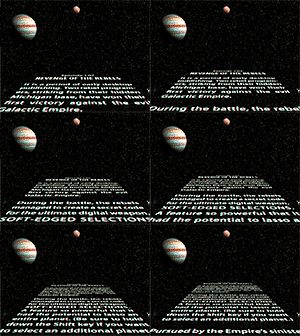
CS4 Extended: Star Wars Text Effect Posted 1/3/09 The force is with you, Luke... Create and animate a Star Wars scrolling text effect with Adobe Photoshop CS4 Extended. This tutorial demonstrates the new 3D Postcard feature and enhanced 3D animation controls. |
For Adobe Photoshop CS4 Extended only View QuickTime tutorial; 13.5 MB
|

|
CS4 Extended: Spherical Panorama Posted 9/23/08 Discover one of the new 3D features in Adobe Photoshop CS4 Extended. In this tutorial, you’ll learn how to wrap an image around the inside of a sphere to create a 3D panorama. Then, simply step into this digital space and use some of the new Photoshop CS4 tools to look around your newly created world. |
For Photoshop CS4 Extended only |

|
CS4 Extended: Advanced Spherical Panorama Stitching Techniques Posted 10/28/08 Learn some of the details behind the creation of a spherical panorama. Merge, extend, and offset your photos to generate an image that seamlessly wraps around the spherical space. |
For Photoshop CS4 Extended Only |

|
CS4 Extended: 3D Quick Look Posted 9/23/08 Get ready for an incredible 3D experience as you view this quick look at some of the new 3D features in Adobe Photoshop CS4 Extended. This tutorial will take you through some of my favorite new tools for working and experimenting with 3D objects. |
For Photoshop CS4 Extended only |

|
CS4 Extended: 3D Mesh from Gray scale Posted 9/23/08 Bring 2D images back to life with this new Adobe Photoshop CS4 Extended technique for converting gray scale images into 3D objects. This tutorial will also demonstrate how to generate 3D depth maps directly from 2D images. |
For Photoshop CS4 Extended Only |

|
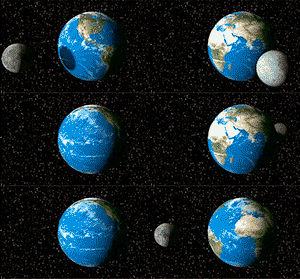
CS4 Extended: Advanced 3D Eclipse Animation Posted 9/23/08 Learn about some of the advanced features in Adobe Photoshop CS4 Extended for animating 3D objects. In this project I create a solar eclipse simulation from images of the earth and moon. Did I mention that this is an advanced tutorial? |
For Photoshop CS4 Extended Only View QuickTime tutorial; 15.3 MB Earth and moon
textures used in this demo:
|

|
CS4 Extended: Advanced 3D Opacity Texture Masks Posted 11/05/08 Discover some advanced techniques for merging 3D images together and creating special transparency effects. |
For Photoshop CS4 Extended Only View QuickTime tutorial; 12.7 MB Earth and moon textures used in this
demo: |

|
CS4 Extended: Creating Transparent 3D Globe Graphics Posted 11/05/08 Look like a professional with this 3D transparent globe tutorial. It seems that everywhere you look today someone is using a spinning globe image. Here is your opportunity to look like a professional by creating your very own spinning globe. |
For Photoshop CS4 Extended Only View QuickTime tutorial; 4.8 MB iStock photo used
in this tutorial:
|

|
CS4 : Where Did Extract, Contact Sheet, and Other CS4 Features Go? Posted6/20/09 In CS4 some hard calls were made to retire a number of features. Some of these can be added back into CS4 (see Mac and Windows downloads), while others are gone for good. More information...
NOTE: You must have administrative privileges if you are installing on Vista OS. Further, be sure that you have Vista UAC (User Access Control found under the User Preferences) unchecked before modifying contents in the Program Files folder.
|
For Photoshop CS4 and CS4 Extended Mac Download all the Mac optional plug-ins PC Download all the PC optional plug-ins
Installer for Extract and Contact Sheet Mac OS, Windows 32-bit, and Vista 64-bit
|
| |
CS4 : More Useful Reminders About Photoshop CS4 Posted 4/28/09 Check out John Nack’s blog page for more information about working with Photoshop CS4.
|
For Photoshop CS4 and CS4 Extended |
Russell Brown Presents: Things You Need to Know |
||
 |
CS4: Understanding Zooming in CS4 Posted 8/12/09 |
For Adobe Photoshop CS4
|
 |
CS4: What Happened to Extract and Contact Sheet in CS4? In CS4 some hard calls were made to retired a number of features. Some of these can be added back into CS4 (see Mac and Windows downloads) while others are gone for good. More information... PC user alert! PC users please note that you can run these plug-ins on a 64-bit Windows OS, but only with the 32-bit version of Photoshop CS4. |
For Adobe Photoshop CS4 |
 |
CS4: Video Editing Quick Keys Posted 8/12/09 |
For Adobe Photoshop CS4 Extended
|
 |
CS4: Painting Tiled Patterns Posted 8/12/09 |
For Adobe Photoshop CS4 Extended
|
 |
Curves and Adjustment Layers Posted 6/26/09 |
For Adobe Photoshop CS4
|
 |
Camera Raw Workflow Options Posted 8/12/09 |
For Adobe Photoshop CS4
|
 |
Exporting a Single HTML Slice Posted 8/12/09 |
For Adobe Photoshop CS4
|
 |
Adjustment Layers for Groups Posted 8/12/09 |
For Adobe Photoshop CS4
|
 |
Merge Visible into a New Layer Posted 8/12/09 |
For Adobe Photoshop CS4
|
 |
Understanding Tool Presets Posted 8/12/09 |
For Adobe Photoshop CS4
|
 |
The Wonders of Tabbed Images Posted 8/12/09 |
For Adobe Photoshop CS4
|
 |
New and Improved Dodge and Burn Posted 8/12/09 |
For Adobe Photoshop CS4
|
 |
Adobe Acrobat Connect Now! Posted 8/12/09 |
For Adobe Photoshop CS4 |
 |
Secret Hidden Palettes Revealed! Posted 8/12/09 |
For Adobe Photoshop CS4
|
 |
PNG Export Recommendations Posted 8/12/09
|
For Adobe Photoshop CS4 |
 |
Solve It! with Select Similar Posted 8/12/09
|
For Adobe Photoshop CS4 |
 |
Text in Perspective with Vanishing Point Posted 8/12/09
|
For Adobe Photoshop CS4 |
 |
Convert to Smart Objects Posted 8/12/09
|
For Adobe Photoshop CS4 |
Advanced CS3 Masking with Monsters! (The Series) |
||
 |
CS3: Basic
Monster Selections Learn the basics of making simple selections, then apply these selection techniques to a real-world monster project. |
Adobe Photoshop CS3
|
 |
CS3: Clipping Mask Monsters Posted 05/08/08 Discover the magic of clipping masks and how you can create complex masks with this simple technique. |
Advanced Adobe Photoshop CS3 View QuickTime tutorial; 6.5 MB
|
 |
CS3: Quick Select Monsters Posted 05/08/08 Start by using the Quick Select Tool and Marquee Tools for making a selection. Then easily modify the selection with the new Refine Edge feature. |
Advanced Adobe Photoshop CS3 |
 |
CS3: Monster Background Eraser Posted 05/08/08 Learn how to make a nondestructive selection from the layer transparency created by the Background Eraser Tool. It sounds complex, but it’s easy and the results look great! |
Advanced Adobe Photoshop CS3 View QuickTime tutorial; 13.6 MB
|
 |
CS3: Extracting Monster Backgrounds Posted 05/08/08 Never fear, the Extract Tool is here! Rediscover the Extract tool all over again. In some situations, it’s still the best way to make a mask for detailed hair. |
Advanced Adobe Photoshop CS3 View QuickTime tutorial; 13.3 MB
|
 |
CS3: Stroke Extracted Monsters Posted 05/08/08 This classic Russell Brown technique returns again, but this time with a few new CS3 tricks. Learn how to speed up the process of extracting backgrounds from images in this classic tutorial. |
Advanced Adobe Photoshop CS3 View QuickTime tutorial; 11.2 MB
|
 |
CS3: Forced Foreground Extracted Monsters Posted 05/08/08 Learn a quick and dirty way to extract an image from its background. This technique doesn’t work on all images, but it is definitely interesting. Check it out! |
Advanced Adobe Photoshop CS3 View QuickTime tutorial; 5.9 MB
|
 |
CS3: Removing Fringe from Monsters Posted 05/08/08 Discover three distinctive ways to remove the ugly fringe that can ruin any good masking project. These techniques are specially designed for working with detailed hair in masking projects. |
Advanced Adobe Photoshop CS3 View QuickTime tutorial; 10.4 MB
iStock photos used in this
tutorial: |
 |
CS3: Lightning Effects for Monsters Posted 06/25/08 ZAP! Remove the background behind lightning and flame images so you can add special Layer Effects and avoid Blending Modes whenever possible. |
Advanced Adobe Photoshop CS3 View QuickTime tutorial; 6.7 MB
iStock photos used in this
tutorial: |
 |
CS3: Green-Screen Monster Alert Posted 05/08/08 Learn how to remove the green spill of light that appears around the edges of images that are shot against a green-screen backdrop. |
Advanced Adobe Photoshop CS3
|
 |
CS3: Advanced Monster Masking Posted 05/08/08 This tutorial demonstrates how to combine the refined edges of the Pen Tool and the soft transparent qualities of the Extract Tool. The results are well worth the effort. |
Advanced Adobe Photoshop CS3 View QuickTime tutorial; 10.9 MB
iStock photo used in this tutorial: |
 |
CS3: Knock Out Monsters for Fun! Posted 05/08/08 This classic technique lives again! Learn the subtle qualities of the Deep and Shallow Knockout features. |
Advanced Adobe Photoshop CS3 View QuickTime tutorial; 8.2 MB iStock photos used in this
tutorial: |
Adobe Photoshop CS3 Standard Edition Tutorials |
||
 |
CS3: Creative Camera Raw Effects - The Monster Technique! Posted 1/11/08 Explore the wonders of the new controls in Adobe Camera Raw. Learn how to take images to the creative edge and break all the rules in the process. |
Advanced CS3 Extended View QuickTime tutorial; 6.8 MB
iStock photos used in this
tutorial: |
 |
CS3: Printing
to the Epson Stylus Pro 3800 Learn the important steps necessary for the best experience when printing to the Epson 3800. This tutorial is specifically designed to address some of the issues with the Epson 3800 and the Mac OS X Leopard operating system. Here is a detailed explanation of the changes that were made to the 10.0.1 update to Adobe Photoshop CS3. Remember, having the current versions of Adobe Photoshop and the Epson drivers is critical to success when printing. |
Advanced Adobe Photoshop CS3 View QuickTime tutorial; 11 MB Additional Important Links Epson OS X Leopard Driver for Mac Epson FAQ OS X Leopard for Mac Adobe Photoshop Updates for Mac |
 |
CS3: Printing
to the HP Photosmart Pro 9180 Learn the important steps necessary for the best experience when printing to the HP Photosmart Pro 9180. Keep in mind that many of the steps detailed in this tutorial also apply to other fine HP printers. Here is a detailed explanation of the changes that were made to the 10.0.1 update to Adobe Photoshop CS3. Remember, having the current versions of Adobe Photoshop and the HP drivers is critical to success when printing. |
Advanced Adobe Photoshop CS3 Additional Important Links HP Software and Driver for Mac Adobe Photoshop Updates for Mac HP Software and Drivers for PC Adobe Photoshop Updates for PC
|
 |
CS3: Printing
to the Canon Pro9500 Learn the important steps necessary for the best experience when printing to the Canon Pro9500. Keep in mind that many of the steps detailed in this tutorial also apply to other fine Canon printers. Here is a detailed explanation of the changes that were made to the 10.0.1 update to Adobe Photoshop CS3. Remember, having the current versions of Adobe Photoshop and the Canon drivers is critical to success when printing. |
Advanced Adobe Photoshop CS3 View QuickTime tutorial; 5.2 MB Additional Important Links Canon Software and Driver for Mac Adobe Photoshop Updates for Mac Canon Software and Drivers for PC Adobe Photoshop Updates for PC
|
 |
CS3: Adjusting
JPEG and TIFF Images with Adobe Camera Raw Uncover the mysteries of working with JPEG and TIFF images in Adobe Camera Raw. Warning! This is an advanced demo. Be sure to update to the current version of Photoshop and Bridge before attempting this process on your own. |
Advanced Adobe Photoshop CS3 |
 |
CS3: Neon at
Night! Move from day into night with this artistic technique that demonstrates how to digitally bend neon tubes and then light them up with Adobe Photoshop CS3. |
Adobe Photoshop CS3 |
 |
CS3: The Adobe
Camera Raw Luminosity Technique Delve into the powerful realm of Adobe Camera Raw and learn new techniques for enhancing images with the luminosity controls. |
Advanced Adobe Photoshop CS3 |
 |
CS3:
Auto-Blending Magic Discover some great new ways to use the Auto-Blend feature to combine multiple images together like magic. |
Adobe Photoshop CS3 View QuickTime tutorial; 7.2 MB iStock photos used in this tutorial: |
 |
CS3: Adobe
Bridge CS3 Basics Learn about some of Dr. Brown’s favorite new features in the Adobe Bridge CS3 application. Alert! - The Adobe Bridge Preference dialogs that are displayed in this tutorial do not match the current dialogs of the updated version of Adobe Bridge (version 2.1.1.9). Please forgive this error. I will attempt to update this tutorial as soon as I can. Again, I am sorry for this inconvenience. |
Adobe Photoshop CS3 |
 |
CS3: Mirror
Mirror - Clone Source Tips and Techniques Use the Clone Source feature to mirror images with the Clone Stamp Tool and Healing Brush. |
Adobe Photoshop CS3 |
 |
CS3:
Nondestructive Text Effects with Smart Filters Create nondestructive special effects with type that even a pirate can love. |
Adobe Photoshop CS3 View QuickTime tutorial; 10.9 MB iStock photo used in this tutorial: |
 |
CS3: Smart Filters Apply nondestructive filters to Smart Object layers. |
Adobe Photoshop CS3 View QuickTime tutorial; 4.1 MB iStock photo used
in this tutorial: |
 |
CS3: The All-New
Photomerge Discover the updated Photomerge technology found in this new version of Photoshop. Combine panorama images with new precision. |
Adobe Photoshop CS3 |
 |
CS3: Converting Color
to Black and White Learn an easy-to-use black-and-white conversion technique built into Photoshop CS3. |
Adobe Photoshop CS3 |
 |
CS3: Auto-Align and
Auto-Blend Layers Align multilayered documents with perfect registration, then magically blend overlapping edges. |
Adobe Photoshop CS3 |
 |
CS3: The New Clone
Source Feature Scale, rotate, and position objects using five variations of the Clone Stamp tool. This new feature makes retouching a snap. |
Adobe Photoshop CS3 |
 |
CS3: Quick Select and Refine Edge Posted 12/20/2006 Discover a new way to make selections in Photoshop CS3. Use the Quick Select tool, and then easily modify the selection with the new Refine Edge feature. |
Adobe Photoshop CS3 |
Adobe Photoshop CS3 Extended Edition Tutorials |
||
 |
CS3 Extended: Working with Video - Part #1: Combining Video Files Posted 1/11/08 Learn how to combine two different video documents with the help of a layer mask. Also, learn about the best high-quality settings for exporting to other video applications. |
Beginner to intermediate CS3 Extended View QuickTime tutorial; 12 MB
iStock videos used in this
tutorial: |
 |
CS3 Extended: Working with Video - Part #2: Converting to Black and White Posted 1/11/08 Apply a black-and-white adjustment layer to a video document, and learn how to use key frames to blend the conversion over time. |
Intermediate to advanced CS3 Extended
iStock video used in this tutorial: |
 |
CS3 Extended: Working with Video - Part #3: Color Tinting over Time Posted 1/11/08 Discover some creative ways to do spot colorization of video documents with painting, and layer effects. Also learn how to paint with live-action video over time. |
Super advanced CS3 Extended View QuickTime tutorial; 19 MB Spot color tinting update View QuickTime tutorial; 4,6 MB
iStock videos used in this
tutorial: |
 |
CS3 Extended: Exporting Animated GIF Technique #1 Posted 1/11/08 Learn how to export video projects to small and compact GIF animations for the web. This first technique is designed for video documents that have single or multiple layers. |
Intermediate CS3 Extended |
|
CS3 Extended: Exporting Animated GIF Technique #2 Posted 1/11/08 Learn how to import and process QuickTime movies into animated GIF files. This second technique uses a special import feature to create animation frame-based projects. |
Intermediate CS3 Extended |
 |
CS3 Extended: Animated Star Trails Posted 9/27/2007 Discover two different techniques for processing multiple exposures of the night sky for still and animated images. These are advanced techniques! |
Adobe Photoshop CS3 Extended View QuickTime tutorial; 16 MB Sample video animation: Additional
information about shooting the night sky from Moose
Peterson: |
 |
CS3 Extended: Sound Advice for Adobe Photoshop CS3 Extended Posted 9/19/2007 Clear up the confusion about importing sound into Adobe Photoshop Extended. |
Adobe Photoshop CS3 Extended |
 |
CS3 Extended: Special guest Nate Caplin Reveals QuickTime Compression Secrets Discover some important techniques for exporting QuickTime projects from Adobe Photoshop CS3 Extended. |
Adobe Photoshop CS3 Extended |
 |
CS3 Extended: Adobe Illustrator Smart Object Animation Posted 5/2/2007 Import multilayered Adobe Illustrator CS3 documents into Adobe Photoshop CS3 as Smart Objects. |
Adobe Photoshop CS3 Extended |
 |
CS3 Extended: U3D Export from Vanishing Point Posted 5/2/2007 Learn how to export 3D objects from Vanishing Point. |
Adobe Photoshop CS3 Extended View QuickTime tutorial; 15 MB iStock photo used in this tutorial: |
 |
CS3 Extended: John Warner Time-Lapse Techniques Posted 5/14/2007 This tutorial reveals some great tips and techniques for working with a sequence of time-lapse images. |
Adobe Photoshop CS3 |
 |
CS3 Extended: Russell Brown and the Argonauts Present 3D Image Composition Techniques Posted 4/10/2007 Discover some great tips and techniques for blending and compositing 3D objects with your own photographic images. Thanks to the generosity of DAZ/3D, you can download a free copy of the U3D-formatted Sea Dragon file that was used in this tutorial. |
Adobe Photoshop CS3 View QuickTime tutorial; 22 MB Duration: 15:15 DAZ 3D Sea Dragon Mac version PC version |
 |
CS3 Extended: Timeline and Frame Animation Basics Posted 3/27/2007 Learn the basics of the Timeline and frame-based animation features with this simple project. |
Adobe Photoshop CS3 |
 |
CS3 Extended: Painting and Cloning on Video Posted 3/27/2007 Discover how to work with the Timeline animation feature to paint, smudge, and clone over time. |
Adobe Photoshop CS3 |
 |
CS3 Extended: Creating Image Sequences Posted 3/27/2007 Design custom image sequences with two different techniques demonstrated in this tutorial. |
Adobe Photoshop CS3 |
 |
CS3 Extended: Paint over Time with the Clone Source Feature Posted 3/27/2007 Work with the Timeline Animation feature and Video Layers to develop creative animations. |
Adobe Photoshop CS3 View QuickTime tutorial; 7.4 MB Video file used in
this tutorial: |
 |
CS3 Extended: Making Video Color Adjustments Posted 3/27/2007 Learn to adjust the color of any of your video files with the standard Photoshop tools you’re familiar with. |
Adobe Photoshop CS3 View QuickTime tutorial; 6.5 MB Video file used in
this tutorial: |
 |
CS3 Extended: Creating Slide Shows With Sound Posted 3/27/2007 Create simple slide shows using the Timeline Animation feature. Complete your productions with imported sound files. |
Adobe Photoshop CS3 |
 |
CS3 Extended: Synchronizing Animated Images and Sound - Part 1 Posted 3/27/2007 Combine video and still images into a simple animated sequence. Lean to combine multiple layers and use key frames for simple transitions. |
Adobe Photoshop CS3 View QuickTime tutorial; 14 MB
|
 |
CS3 Extended: Synchronizing Animated Images and Sound - Part 2 Posted 3/27/2007 Discover how to paint on video frames and create a simple fade-to-black effect. |
Adobe Photoshop CS3 |
 |
CS3 Extended: Warping Images and Type over Time Posted 3/27/2007 Learn to distort images and text over time using key frames with the Animation Timeline feature combined with the warping tools in Photoshop. |
Adobe Photoshop CS3 |
 |
CS3 Extended: Smart Objects and Stack Mode Settings Posted 3/27/2007 Combine multilayered files with incredible new blending techniques. Learn how to use the Median setting to make unwanted objects disappear like magic. |
Adobe Photoshop CS3 View QuickTime tutorial; 13 MB iStock video used in this tutorial: |
Dr. Brown’s Podcasting Tutorials for Adobe Photoshop CS3 |
||
 |
Dr. Brown’s Advanced Podcasting Techniques
Learn Dr. Brown’s production secrets for creating podcasts. This Macintosh tutorial demonstrates some of the hardware and software that is used to create the tutorials that you see on this site. This tutorial is designed for Macintosh users, but some of the information may also be useful to Windows users.
|
Macintosh Production Techniques Adobe Photoshop CS3 View QuickTime tutorial; 20.6 MB Download the Action used in this tutorial
Software and hardware links Plantronics DSP-400 headset SnapZ Pro Screen Capture Software iShowU Screen Capture Software Sorensen Squeeze Compression Suite |
 |
Podcasting with Adobe Photoshop and Apple QuickTime
Pro Discover an easy way to edit movies with Apple QuickTime Pro, and enhance your video with Adobe Photoshop CS3.
|
Adobe Photoshop CS3 View QuickTime tutorial; 11.3 MB
|
Adobe Photoshop CS2 Tutorials |
||

|
Black-and-White Variations Run this simple Adobe Photoshop Action and see a variety of ways to convert color images into fine black-and-white images. This Action includes techniques from Nikos Kantarakias and Tom Neiman. |
Adobe Photoshop CS2 for designers |

|
Smart Blur to the Rescue! Rescue web graphics that are filled with noise and artifacts with this easy-to-use filter technique. |
Adobe Photoshop CS2 for designers |

|
The Day With No Sky - Part One Learn how to use Dr. Brown’s Place-A-Matic, and Camera Raw images, to help recover detail in a blown-out sky. Alert! - If you are using the CS3 version of Place-A-Matic, then the Camera Raw dialog will not open while the script is running. Adjustments to the placed images must be done by double clicking on the placed Smart Objects that are found in the Layers Panel. Unfortunately, the CS2 behavior that is shown in this tutorial is not available in CS3. |
Adobe Photoshop CS2 for designers and photographers |

|
The Day With No Sky - Part Two When all else fails, let’s get creative! Learn how to totally replace the detail in a blown-out sky. |
Adobe Photoshop CS2 for designers and photographers |

|
More Blue Sky Thinking But wait--there’s more! Here are two more ways to extract a background and composite multiple images. |
Adobe Photoshop CS2 for designers and photographers View QuickTime tutorial; 9.6 MB iStock photo used in this tutorial: |
|
|
Blue Sky Thinking Soar to new heights with these three distinct ways to composite text and images in Photoshop CS2. |
Adobe Photoshop CS2 for designers and photographers |

|
My Favorite Type Tips Russell reveals his top 16 favorite type tips in one gigantic collection. |
Adobe Photoshop CS2 for designers |

|
Soft Light Dodging and Burning Learn a nondestructive way to dodge and burn images with a Soft Light layer. |
Adobe Photoshop CS for everyone |

|
Healing Sand Uncover some advanced ways to enhance the results of the Healing Brush tool. Also, learn to retouch images with Vanishing Point. |
Adobe Photoshop CS for everyone |

|
Crop and Straighten Discover an unusual way to use the Crop and Straighten tool. Is it useful, or simply interesting? You decide. |
Adobe Photoshop CS for everyone |

|
Wild Wild Text Learn how to place text on a path with advanced typographic control. Also, discover the secrets of placing text inside of custom shapes. |
Adobe Photoshop CS2 for designers |

|
Think Difference! Discover the blending mode with a difference, and learn how to enhance images with the History Brush. |
Adobe Photoshop CS2 for designers and photographers |

|
Wood Type Effects Create a simulated laser engraving in wood, and experiment with wood textures inside of text. |
Adobe Photoshop CS2 for designers |

|
Smart, Smarter, Smart Objects! Design your next package using Smart Objects in Adobe Photoshop CS2. Also, learn how to warp Smart Objects into perfect perspective. Be sure to view the Tutorial Update for some new additions to this technique. |
Adobe Photoshop CS2 for designers |

|
Smart Object Basics Learn the basics of working with Smart Objects in Adobe Photoshop CS2 and discover what makes them so smart. |
Adobe Photoshop CS2 for designers and photographers |

|
Adobe Photoshop Printing - Part 1 Solve the mysteries of Photoshop printing with this step-by-step tutorial for Epson and Xerox printers. Note: The procedures demonstrated in this tutorial are my own personal printing techniques and may not work in all situations. |
Adobe Photoshop CS2 for designers and photographers |

|
Adobe Illustrator Printing- Part 2 Solve the mysteries of Illustrator printing with this step-by-step tutorial for Epson and Xerox printers. Note: The procedures demonstrated in this tutorial are my own personal printing techniques and they may not work in all situations. |
Adobe Illustrator CS2 for designers and photographers |

|
Adobe InDesign Printing- Part 3 Solve the mysteries of InDesign printing with this step-by-step tutorial for Epson and other color-managed printers. Note: The procedures demonstrated in this tutorial are my own personal printing techniques and they may not work in all situations. |
Adobe Photoshop CS2 for designers and photographers |

|
Exported Knockout Take my Digital Knockout tutorial to the next step and learn how to export animations for the web. |
Adobe Photoshop CS2 for designers |

|
Dancing with Type Learn about creating text on a path and then adjusting it without feeling like you have two left feet. |
Adobe Photoshop CS2 for designers |

|
Shadow Text Split applied Layer Styles into individual layers for more creative control of your design projects. |
Adobe Photoshop CS2 for designers |

|
History 101 Correct images with this efficient and easy technique that uses the History feature in Photoshop CS2. |
Adobe Photoshop CS2 for photographers |

|
Advanced Background Extraction Learn advanced techniques for extracting complex backgrounds with the Extract Tool. |
Adobe Photoshop CS2 for photographers |

|
Painting Between the Lines Learn how to use the Paint Bucket Tool and quickly add color to line drawings. |
Adobe Photoshop CS2 for artists and designers |
 |
Digital Knockout Punch through multiple layers with this special masking technique, then learn to animate this effect for the web. |
Adobe Photoshop CS2 for designers and web publishers |

|
Digital Watermark Branding Discover the fine art of creating an Action that will magically work on both horizontal and vertical images. |
Adobe Photoshop CS2 for photographers and designers |

|
Smart Sharpen Revealed! Go back to school and learn the basics of the new Smart Sharpen feature in CS2. |
Adobe Photoshop CS2 for photographers and designers |

|
Image Processor Secrets Uncover hidden secrets to the Image Processor and process your images with more control. |
Adobe Photoshop CS2 for photographers and designers |
 |
Ribbon of Perspective Learn some great new ways to move objects in accurate perspective with this creative technique. |
Adobe Photoshop CS2 Only |
 |
Instant Exterior Discover a creative way to use this new feature to update building exteriors. |
Adobe Photoshop CS2 Only |
 |
Cloning in Perspective! Learn to paint in perspective with Adobe Vanishing Point. |
Adobe Photoshop CS2 Only |

|
CS2 Bridge Workflow Learn to take images directly from your camera and work with them in the new Adobe Bridge application. |
Adobe Photoshop CS2 for photographers and designers |
|
|
CS2 Camera Raw Take a close look at the new features in Adobe Camera Raw. |
Adobe Photoshop CS2 for photographers and designers |
|
|
CS2 Exporting Raw Images This tutorial includes information on using the new Image Processor previously known as “Dr. Brown’s Image Processor. ” |
Adobe Photoshop CS2 for photographers and designers |
 |
Open Type and Photoshop CS2 Gain fine typographic control with Illustrator CS2 and Photoshop CS2. |
Adobe Photoshop CS2 for designers |
 |
Image Warp and Photoshop CS2 Discover some of the new features found in the CS2 Warp tool and learn how to warp text with amazing control. |
Adobe Photoshop CS2 for designers |
Adobe Photoshop CS Tips |
||
 |
The Zen of Type Contemplate this simple and elegant way to blend layers in Adobe Photoshop. |
Adobe Photoshop CS for designers |
 |
Comic Wow! Learn how to create comic-book-style text effects with Layer Styles. |
Adobe Photoshop CS for designers |
 |
Eclipsing Shapes Master the fine art of working with Shape Layers. |
Adobe Photoshop CS for designers |
 |
Transparent Patch Discover creative Patch Tool techniques for designers. |
Adobe Photoshop CS for designers |
 |
Design Variations Explore the wonders of the Layer Comps. |
Adobe Photoshop CS for designers |
 |
Hocus Pocus Focus Get a focused overview of the Lens Blur filter. |
Adobe Photoshop CS for photographers |
 |
Hidden in the Shadows Take a detailed look at the Shadow Highlight feature for enhancing images. |
Adobe Photoshop CS for photographers |
 |
Lighting with Layers Change the lighting of an image with two simple techniques. |
Adobe Photoshop CS for photographers |
 |
Photo Toner Technique Take the creative approach to converting color images to black and white. |
Adobe Photoshop CS for photographers |
 |
Moiré Go Away Remove moiré patterns from your digital images with these two techniques. |
Adobe Photoshop CS for photographers |
 |
Liquefied Sand Dune Expand your control of the Liquify tool and learn to manipulate the sands of time. |
Adobe Photoshop CS for photographers |
 |
The Evil Fringe Eliminate unsightly color casts with the Color Replacement Tool. |
Adobe Photoshop CS for photographers |
 |
Frosty Freeze Cool things down with Layer Styles and Blending Options. Turn summer images into winter wonderlands. Learn some valuable techniques that you can apply to a variety of projects. |
Adobe Photoshop CS for photographers |
 |
Atmospheric Illusion Change the weather with a single layer! This extremely advanced technique demonstrates the power of Layer Styles and Blending Options. Also included in this tutorial is an advanced technique for masking. Have I mentioned that this is an advanced tutorial? |
Adobe Photoshop CS for photographers |
 |
Digital Photo Flow Enjoy an overview of Photoshop CS Camera Raw workflow and image processing for photographers. |
Adobe Photoshop CS for photographers |
 |
Creative Bookmaking Learn a simple technique for creating handmade books from a single piece of paper. Create a six-page book quickly and easily with the supplied Action. This Action will only run in Adobe Photoshop. Also, a listing of the supplies necessary to construct your very own handmade book can be found in the Introduction Tutorial. Warning! The print settings used in this demo are based on early printer models from Epson, so many of the settings used in these tutorials have changed due to advances in printing technology. Because of these changes, you many experience some problems with the paper sizes that I have chosen for this project. It may be necessary for you to adjust the paper sizes to work with more modern printer models. Find out more about the Red River Paper supplies used in this project. |
Adobe Photoshop CS for photographers Creating Books in Photoshop; 12 MB
Book_Making_Set.atn Actions; 20 KB
|
 |
Creating Digital Hair Discover some amazing things you can create with custom brushes in Adobe Photoshop CS and CS2. Learn these techniques from my special guest instructor, John McConnell. Also, special thanks to David Nagel for creating these custom brushes for this demo. These brushes work best with a Wacom tablet. Note: After downloading the brushes, simply double-click on the file named "Nagel Hair Brushes.abr" and the custom brushes will be automatically loaded into your library of brushes. Remember, these custom brushes will only work with Adobe Photoshop CS and CS2! |
Adobe Photoshop CS and CS2 for Mac View QuickTime tutorial #1; 9 MB View QuickTime tutorial #2; 5 MB View QuickTime tutorial #3; 6 MB
|
Printing to the Epson 2200 (Advanced!) |
||
 |
Part 1 Find out how to get the best possible prints when printing from Adobe Photoshop CS to an Epson Stylus Photo 2200. |
Adobe Photoshop CS for Mac Users: |
 |
Part 2 Learn how to get the best possible prints when printing from Adobe Illustrator CS to an Epson Stylus Photo 2200. |
Adobe Photoshop CS for Mac Users: |
 |
Part 3 Discover how to obtain great prints when printing from Adobe InDesign CS to an Epson Stylus Photo 2200. |
Adobe Photoshop CS for Mac Users: |
 |
Part 4 Last but not least, find out how to get the best possible prints when printing from Adobe Acrobat to an Epson Stylus Photo 2200. |
Adobe Photoshop CS for Mac Users: |
 |
Custom profile printing from Adobe Photoshop CS This advanced technique demonstrates how a custom profile can yield true neutral grays in black-and-white prints as well as high-quality color prints from an Epson Stylus Photo 2200. |
Adobe Photoshop CS for Advanced Mac Users |
Adobe Photoshop 7.0 Tips |
||

|
Liquify Alert Learn how to warp and bend an image into the contours of a flag. This will all be done using the amazing Liquify filter and a few special tips and techniques. |
Adobe Photoshop 7.0 or greater |

|
Seeing in Black and White In this tutorial, I investigate some of the ways you can convert a color image into a black-and-white image using Adobe Photoshop. It’s not as straightforward as you might think. There are several ways to convert a color value into a black-and-white value. You may think that you have seen every possible way to do this, but you may be wrong! I have discovered the patented Russell Preston Brown Tonal Conversion Technique —and in this tutorial, I tell you all about it! Looking for more information about black-and-white conversion? Check out some of these great websites. Night light
Images Tom Nieman’s
Site Jeff Schewe •
Pixel Genius |
Adobe Photoshop 7.0 or greater |

|
Advanced Sharpening Techniques Learn the popular technique of Painting with Sharpen, where you sharpen only the areas of the image that need it. Or move on to the Advanced Sharpening technique to find out how Photoshop gurus sharpen images. |
Adobe Photoshop 7.0 or greater |
 |
Advanced Masking Put on your propeller hat, because this one is not for beginners. But if you’re interested in creating professional masks, then you've come to the right place. |
Adobe Photoshop 7.0 or greater |
|
||
|
Sorry, no technical support is available for my tips and techniques For immediate response to your issues and questions, check out the Adobe Forum: Also be sure to visit
the Adobe TV site for a great collection of information and
tutorials: Sincerely,
Intellectual property; limited license to
users Adobe, Acrobat, Adobe Bridge, Adobe Eazel, Illustrator, InDesign, Lightroom, Photoshop, Photoshop Camera Raw, and Pixel Bender are either registered trademarks or trademarks of Adobe Systems Incorporated in the United States and/or other countries. Apple, iPad, iPhone, Mac, Macintosh, Mac OS, QuickTime, and Safari are trademarks of Apple Inc., registered in the U.S. and other countries. Microsoft, Internet Explorer, Windows, Windows Vista are registered trademarks of Microsoft Corporation in the United States and/or other countries. All other product names may be trademarks of their respective companies. |
||